How to Redeem CRAZY 8 Ball Codes
Exact lobby UI paths, case rules, and fixes when a code fails.
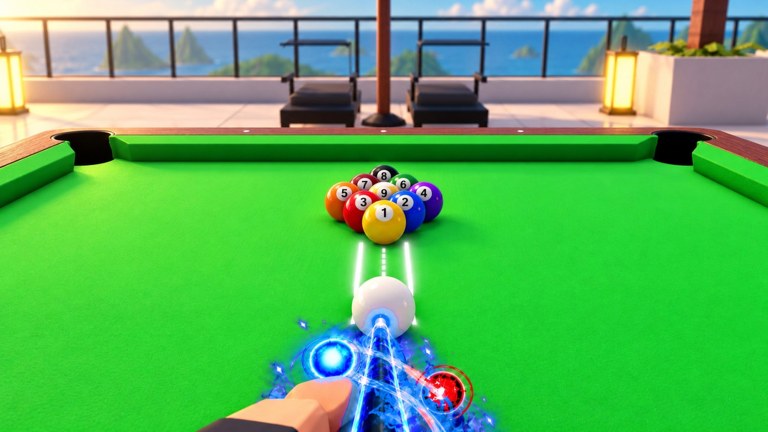
Promo codes are the fastest free progress in CRAZY 8 Ball. They grant Ability Spins, cash, and Lucky Blocks that feed both your power pool and cue collection. This page walks through every redeem path, explains failure messages, and shows what to do with rewards after they land. Keep the live list on the Codes Hub open in another tab while you redeem.
Before you start
- Update Roblox and join the CRAZY 8 Ball experience by Lucky 8 (not a lookalike place).
- Wait until the lobby UI fully loads — codes menus can miss clicks on a half-streamed HUD.
- Copy codes exactly. Strings like 80KLIKES are case sensitive.
- Prefer codes still printed in the official description (80KLIKES, 70KLIKES, 60KLIKES as of mid-November 2026) before older community leftovers.
Platform note: the same menus exist on PC, Mobile, Tablet, Console, PS5, and Xbox, but touch targets and gamepad highlight order differ. If a button feels missing, try Controls sensitivity fixes or rejoin a fresh server.
Method A — Abilities menu Codes tab (primary)
This is the path most guides and the in-game layout emphasize.
- Stand in the lobby (do not need to be mid-match).
- Open the Abilities button — commonly along the left side of the screen.
- Inside the Abilities UI, select the Codes tab (often toward the right of that panel).
- Tap or click the text field.
- Paste your code (for example
80KLIKES). - Press Redeem / confirm.
- Watch for a success toast listing Ability Spins, cash, or a Lucky Block.
If you already redeemed that string on the account, the game rejects it. Codes are per account, not per device.
Method B — Settings → Enter code
Some builds and platforms expose a second entry point:
- Open Settings from the lobby HUD.
- Find Enter code (wording may be “Codes” or “Redeem”).
- Paste and confirm the same way as Method A.
If one path errors with a blank field, try the other before assuming the code is dead. UI regressions happen after big Season drops — see Updates.
What success looks like
Typical mid-November rewards:
| Code class | Example outcome |
|---|---|
| Newest likes code | 5 Ability Spins + Mystery Block (80KLIKES) |
| Still-working likes | Spins and/or cash / Mystery Block (70KLIKES, 60KLIKES) |
| Older likes (uncertain) | Mixed spin, cash, Uncommon/Rare blocks |
Spins appear in your Ability Spin balance. Blocks may auto-open or sit until you claim them — check the Lucky Block UI. Details on block rarities live in Lucky Blocks.
Troubleshooting invalid codes
”Invalid” immediately
- Fix casing and remove spaces or invisible characters from mobile keyboards.
- Confirm you did not type O/0 or l/1 wrong — likes codes are usually letters + digits as printed.
- Rejoin a new server; stale lobbies sometimes cache old allowlists.
”Already redeemed”
You already claimed it. Move to the next code on the Codes Hub.
”Expired” or silent fail after a milestone
Lucky 8 rotates description text when newer likes codes ship (next public callout around 90K likes). Older strings such as early 2KLIKES / 5KLIKES / 10KLIKES / 25KLIKES / 50KLIKES may still work for some accounts and fail for others. Try once; do not hammer redeem.
No Codes tab visible
- Hard rejoin.
- Check that you are not inside a private minigame UI that hides lobby buttons.
- Verify the experience title matches CRAZY 8 Ball by Lucky 8.
After redeeming — spend order that helps ranked
- Spin abilities when you lack a flexible power for open tables. High-impact rolls (including sought-after physics breaks like Black Hole) matter more than hoarding. Guidance: Abilities Guide and Abilities Tier List.
- Open Lucky Blocks toward cues that fix your weakest stat — often Aim for beginners, Spin/Guard for intermediate leave control (Cues Tier List).
- Cash can wait until you know whether you are pushing 8 Ball ranked or the 9 Ball Mode portal.
- Push a few casual wins toward Rookie (5 wins) before sweating Bronze→Reyes (Ranked Climb).
VIP players still redeem codes the same way. VIP’s daily spin and timer removal stack with free code rewards; they do not replace them.
Mobile-specific tips
- Paste from the Roblox mobile clipboard; retyping long codes invites typos.
- Rotate to landscape if the Codes tab sits under a safe-area cutout.
- Close chat overlays before tapping Redeem so the click registers.
Console / gamepad tips
- Highlight the text field, then use the on-screen keyboard carefully — stick drift can insert spaces.
- Prefer copying from a second device when possible.
- After redeem, back out fully so the Abilities loadout UI refreshes before you queue.
Security reminders
Never enter codes on phishing sites that ask for your Roblox password. This wiki only documents in-experience redeem UI. Do not download “code generators” or executors promising free Mythic cues — see Scripts Hub for why those paths risk bans.
Related pages
- Codes Hub — live list and reward tables
- Getting Started
- Season 1 — spend seasonal blocks before December 12, 2026
- Wiki overview
Frequently Asked Questions
Quick answers to the most common questions.
Where is the Codes tab in CRAZY 8 Ball?
Open the Abilities button in the lobby, then select the Codes tab. Some players also redeem through Settings → Enter code.
Why does my code say invalid?
Check exact casing, remove spaces, rejoin a fresh server, and confirm the code still appears on the Codes Hub or official description.
Can I redeem the same code twice?
No. Each code is once per Roblox account. Already redeemed messages are normal.
Do I need to be in a match to redeem?
No. Redeem from the lobby. Mid-match UI can hide the Abilities panel on some devices.
What should I spend Ability Spins on first?
Roll until you have at least one flexible high-impact ability, then study the Abilities Guide before ranked queues.
Are console and PC codes different?
No. The same strings work across platforms on the same account.