CRAZY 8 Ball Controls
Dial aim and power so cue stats actually show up on your device.
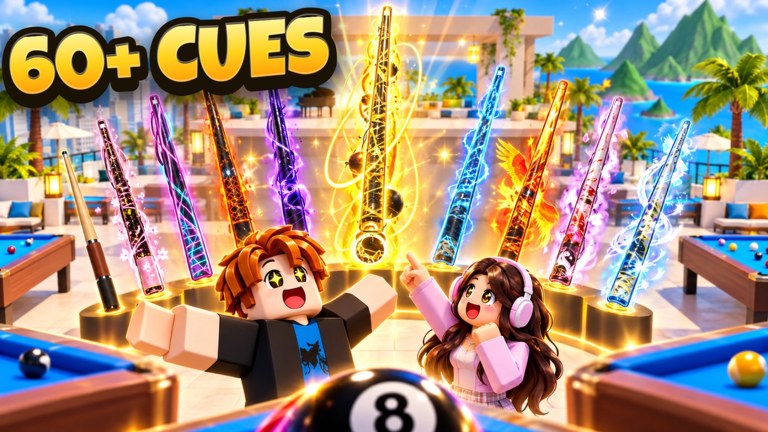
CRAZY 8 Ball supports PC, Mobile, Tablet, Console, PS5, and Xbox. The same ranked ladder and ability system appear everywhere, but input feel differs enough that a Mythic cue can play worse than a Rare if your sensitivity fights the Aim line. This page is the device-focused companion to How to Play and the Players Hub.
Universal shot flow
Regardless of platform, every shot follows the same mental order:
- Survey clusters and scratch pockets.
- Select object ball and intended leave.
- Adjust aim until the guideline matches the contact you want.
- Set power for distance — default half to three-quarter.
- Add spin only for planned English.
- Confirm ability usage before the stroke if this is a swing turn (Abilities Guide).
- Stroke once; avoid endless re-aim against the clock.
Cue stats change how long the Aim line is and how hard full Power hits (Cues Tier List). Recalibrate whenever you swap sticks.
PC tips
- Use a mouse with stable CPI; raw input feels better for thin cuts.
- Zoom or camera adjust until the Aim guideline is readable end-to-end.
- Bind or memorize the lobby buttons for Abilities, Codes, and Settings so redeeming Codes is frictionless between matches.
- Disable heavy overlays that steal clicks when you confirm Power.
PC players often over-flick aim. Slow the last inch of adjustment; Guard and Spin cannot save a mis-aimed contact.
Mobile and tablet tips
- Play in landscape when possible so Power sliders and Aim drag have room.
- Increase touch target comfort: remove chat overlays before fine aim.
- Paste codes from clipboard instead of typing likes strings like 80KLIKES (How to Redeem).
- If the Aim line feels short, that may be a low Aim cue — not only a zoom issue.
- Watch for fat-finger Power spikes; lift cleanly when releasing the stroke control.
Tablets help, but a high refresh phone with careful drag technique can still climb. Warm up two casual racks after switching from PC.
Console, PS5, and Xbox tips
- Lower look sensitivity until thin cuts stop oscillating.
- Use the on-screen keyboard carefully when redeeming codes — stick drift inserts spaces that fail case-sensitive strings.
- Prefer aiming with the stick that feels most precise on your controller; test both if the game allows swap.
- Harden deadzones if micro-corrections push your guideline off a frozen aim.
Console lobbies share the same Ability Slot and VIP economy. Input lag on Wi-Fi hurts more than on Ethernet — wire up for ranked blocks (Ranked Climb).
Camera and readability
Good camera habits:
- Frame both object ball and target pocket when learning
- Re-center after every opponent shot so you do not inherit their weird angle
- Avoid extreme top-down if Spin indicators become hard to see on your cue UI
When abilities warp physics mid-rack, take an extra second to re-read the table before dragging Aim again.
Power control drills (all platforms)
- Line up a straight one-diamond pot; pocket it at 30%, 50%, 70%, 100% Power.
- Note cue-ball travel after each — this maps your stick’s Power curve.
- Repeat after swapping cues; Mythic Power is not the same as Common Power.
- Add side Spin at 50% Power only and watch leave change.
Five minutes of this drill prevents half of Bronze scratches.
UI navigation worth memorizing
| Action | Why it matters |
|---|---|
| Abilities → Codes | Fast redeem after likes milestones |
| Ability equip / slots | Swap before ranked, not mid-panic |
| Cue select | Confirm Aim before queue |
| Lucky Block UI | Open Season Cursed blocks on time |
| 9 Ball portal | Mode switch without requeue confusion |
Season timers through December 12, 2026 make block UI literacy mandatory (Lucky Blocks, Season 1).
Sensitivity profile suggestions
- Learning: lower sensitivity, longer aim time, no ranked yet (Getting Started).
- Climbing: medium sensitivity, strict Power defaults, one ability bind familiarity.
- 9 Ball focus: slightly slower aim for sequential thin cuts (9 Ball Mode).
If you suspect opponents of auto aim (unnatural snaps every shot), report through Roblox tools instead of installing the same junk (Scripts Hub).
Related pages
Frequently Asked Questions
Quick answers to the most common questions.
Does CRAZY 8 Ball support consoles?
Yes. It runs on Roblox across PC, Mobile, Tablet, Console, PS5, and Xbox with the same core modes.
Why does my aim feel worse on mobile?
Shorter Aim stats, touch precision, and overlays all contribute. Try landscape, a higher Aim cue, and slower final drag adjustments.
Should I change sensitivity for ranked?
Use the same sensitivity you practiced on. Sudden ranked-only changes cause missed thin cuts.
How do I redeem codes on console?
Open Abilities → Codes or Settings → Enter code, then type carefully. Avoid extra spaces from stick drift.
When should I recalibrate Power?
Every time you equip a new cue, especially when Power jumps toward Mythic ranges.